[
下載教學]
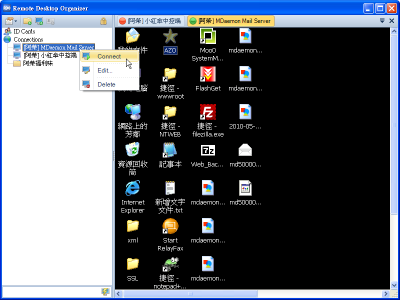
加強版遠端桌面–
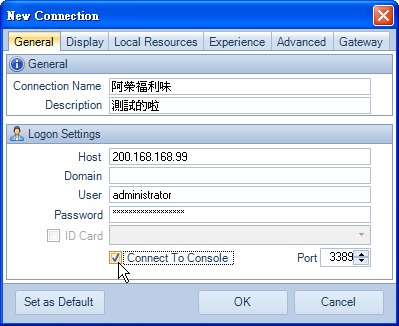
Remote Desktop Organizer(簡稱:RDO),讓遠端桌面連線也可以有多分頁的功能,可以使用資料夾方式將遠端連線分組、建立多組身份卡(多重登入資訊),最最重要的是–可以
設定登入主機的主控台(Console)工作階段的夢幻功能,可以說是「挨踢」或「網管」界的武功增強外掛啊!
系統需求:
1.
微軟遠端桌面連線 6.0 版以上
2.
.NET Framework 2.0 以上版本
設定檔儲存路徑:
C:\Documents and Settings\
Administrator\Local Settings\Application Data\RDO
阿榮評語:
[2010.06.02] 如果你看不懂這個軟體的說明,那麼!恭喜你,你離「挨踢」的境界還有一段距離,莫入歧途啊!
Remote Desktop Organizer is a tabbed remote desktop client, allowing you to easily organize all of your remote desktop connections in one place.
Features:
- Organize remote desktop connections in folders and subfolders
- Drag and drop support for moving connections and folders
- Tabbed connections
- Quick Connection
- Connect to console
- Change connection port
- Minimize to system tray (optional)
- Close to system tray (optional)
Source